How to Form a (D)UNA
Form a (D)UNA — an Unincorporated Non-profit Association that automatically upgrades to a Decentralized Unincorporated Non-profit Association (DUNA) once your DAO has at least 100 token holders. The (D)UNA is OtoCo's vehicle of choice for DAOs and decentralized organizations that want real legal personality without forcing every contributor through KYC.
to form and run an Unincorporated Non-profit Association.
+ $2,000 one-time fee when your DAO reaches DUNA status (100+ DAO members or token holders).
What "(D)UNA" actually means
On OtoCo, you don't form a DUNA on day one. You start with an Unincorporated Non-profit Association that has all the legal structure you need to operate, accept funds, and contract with third parties. The moment you cross 100 DAO token holders / members, OtoCo automatically transitions you into a Decentralized Unincorporated Non-profit Association (DUNA) — at which point the additional $2,000 status fee is charged.
OtoCo describes it as: "Start with an Unincorporated Non-Profit Association and automatically click into a Decentralized UNA (DUNA) when you have a minimum 100 DAO token holders."
The DUNA structure is built on the new Wyoming DUNA Act. It is the most-discussed legal vehicle for tokenised DAOs in the U.S. because it:
- Recognises a DAO as a legal person, distinct from its individual token holders
- Confers limited liability on token holders and contributors
- Allows the DAO to contract, sue, be sued, hold property, pay U.S. taxes, and engage with banks under a single legal identity
- Doesn't require centralized governance — voting can stay onchain
When to choose (D)UNA
- You're launching a DAO with a governance token and expect a large dispersed holder base
- You want limited liability for token holders as soon as the DAO is real
- You need a U.S. entity that doesn't require members to KYC the way an LLC does
- You're a non-profit-purpose organisation (public goods funding, protocol governance, research collective)
If you're a small operating team or single-member project, you'll usually be better served by a Delaware or Wyoming LLC — or by a Swiss Association if you operate internationally.
What you'll need
- A connected wallet (or email login via Privy)
- A clear statement of non-profit purpose for the association
- A funded multisig or admin wallet (we recommend the Safe Wallets plugin)
- Card or crypto for the $499 annual fee
- Budget for the $2,000 DUNA upgrade fee when your DAO crosses 100 token holders
Step 1 — Open the formation flow
Go to https://otoco.io/spinup and click (D)UNA · Association · $499/yr — Decentralized autonomous structures.
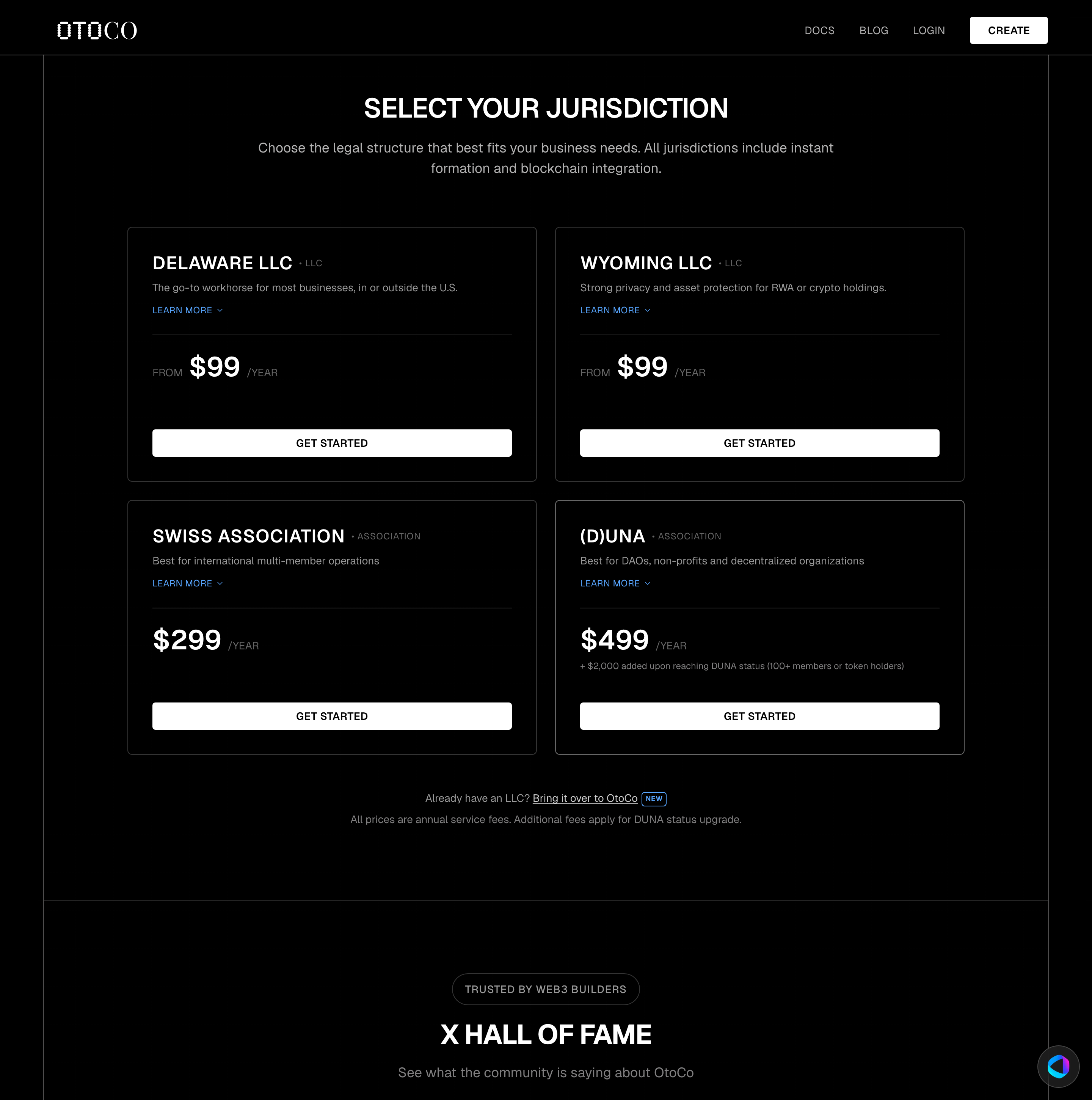
Step 2 — Connect your wallet
Click Connect and select your wallet provider. The connecting wallet becomes the initial administrator of the association.
Step 3 — Pick your entity name
On the Choose Your Entity Name screen, enter the association's name. The "Association" suffix is appended automatically.
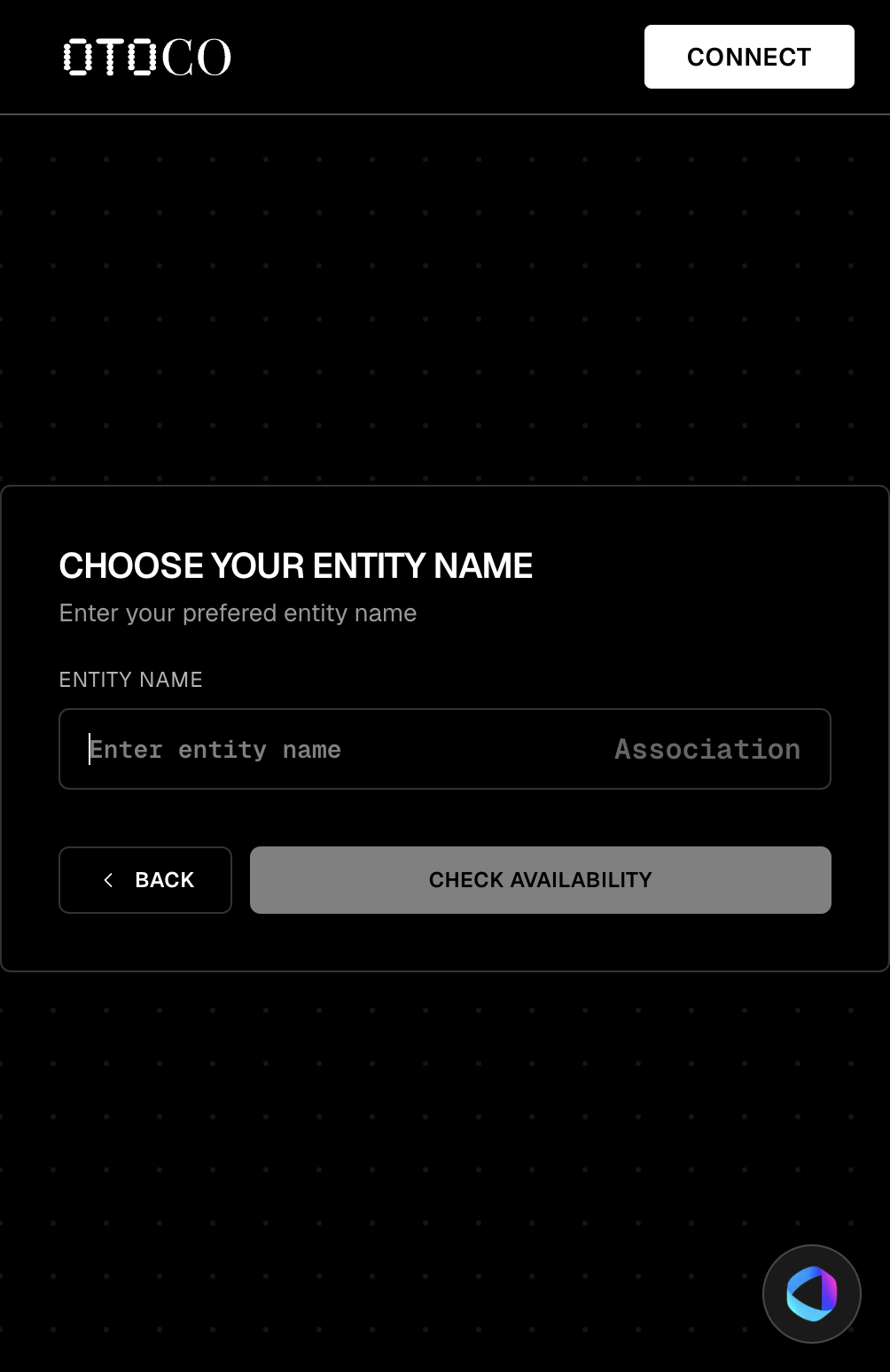
Click Check Availability.
Step 4 — Configure the association
- Statement of purpose — short description of the association's non-profit objective. This appears in the Articles of Association.
- Initial members — at least one member wallet (typically a multisig). Additional members can be added later via Add Members.
- Token contract (optional) — if your governance token already exists, paste its address. OtoCo will use the holder count of this token to auto-trigger the DUNA upgrade once 100 unique holders is reached. You can attach the token later via Mint Tokens.
Step 5 — Pay and activate
Pay the $499 annual fee with card or crypto. The OtoCo contract activates your Unincorporated Non-profit Association onchain.
Step 6 — Open your DashPanel and add the basics
In your new DashPanel:
- Install Safe Wallets so the association's funds live in a multisig
- Install Mint Tokens if you don't yet have a governance token
- Install Add Members to onboard the initial admin set
- Optionally claim an ENS for the treasury
Step 7 — Cross the DUNA threshold
OtoCo monitors the holder count on the token you registered. Once unique holders hit 100, your association is automatically upgraded:
- You're invoiced the one-time $2,000 DUNA status fee
- Your Articles are amended to reflect DUNA status
- You receive a new "DUNA upgraded" Entity NFT
- Your association now has formal limited liability for token holders under the Wyoming DUNA Act
What the $2,000 DUNA fee covers
- Filing the conversion paperwork from Unincorporated Non-profit Association to DUNA
- Updated Articles of Association reflecting DUNA status
- DUNA-compliant registered agent and Wyoming registered office
- Annual DUNA tax filing template
- Updated NFT and DashPanel badge
Frequently asked questions
Why not just form a DUNA from day one?
Day-one DAOs almost never have 100 token holders. Forming as an Unincorporated Non-profit Association is cheaper and faster, gives you legal personality, and the upgrade is automatic. You pay for DUNA when DUNA is actually warranted.
Does the DUNA give limited liability to my voters?
Yes — that's the central reason the DUNA Act was written. Once you are in DUNA status, your token holders enjoy limited liability for the association's debts and obligations.
Can I still use this if my DAO never reaches 100 holders?
Absolutely. You stay as an Unincorporated Non-profit Association at $499/yr indefinitely. The $2,000 fee is only charged if and when you cross the DUNA threshold.
What about taxes?
A DUNA is a U.S. legal person and files U.S. tax returns. Your tax treatment depends on the association's activities. Consult a qualified U.S. tax advisor — OtoCo's templates and AI assistant can help orient you but do not replace tax advice.
Next: Swiss Association · Add Members · Mint Tokens · OtoCo AI